
Network & Server Racks
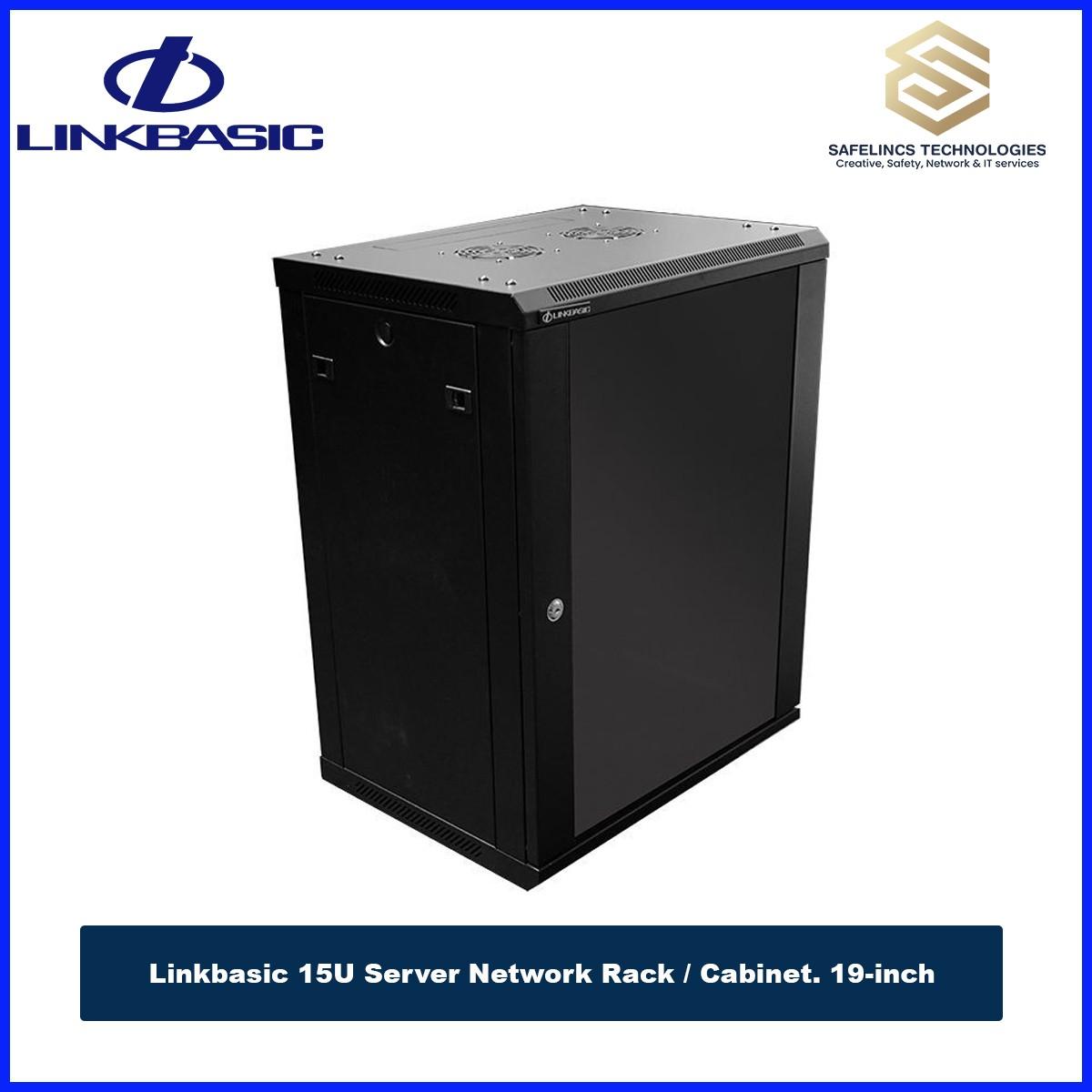
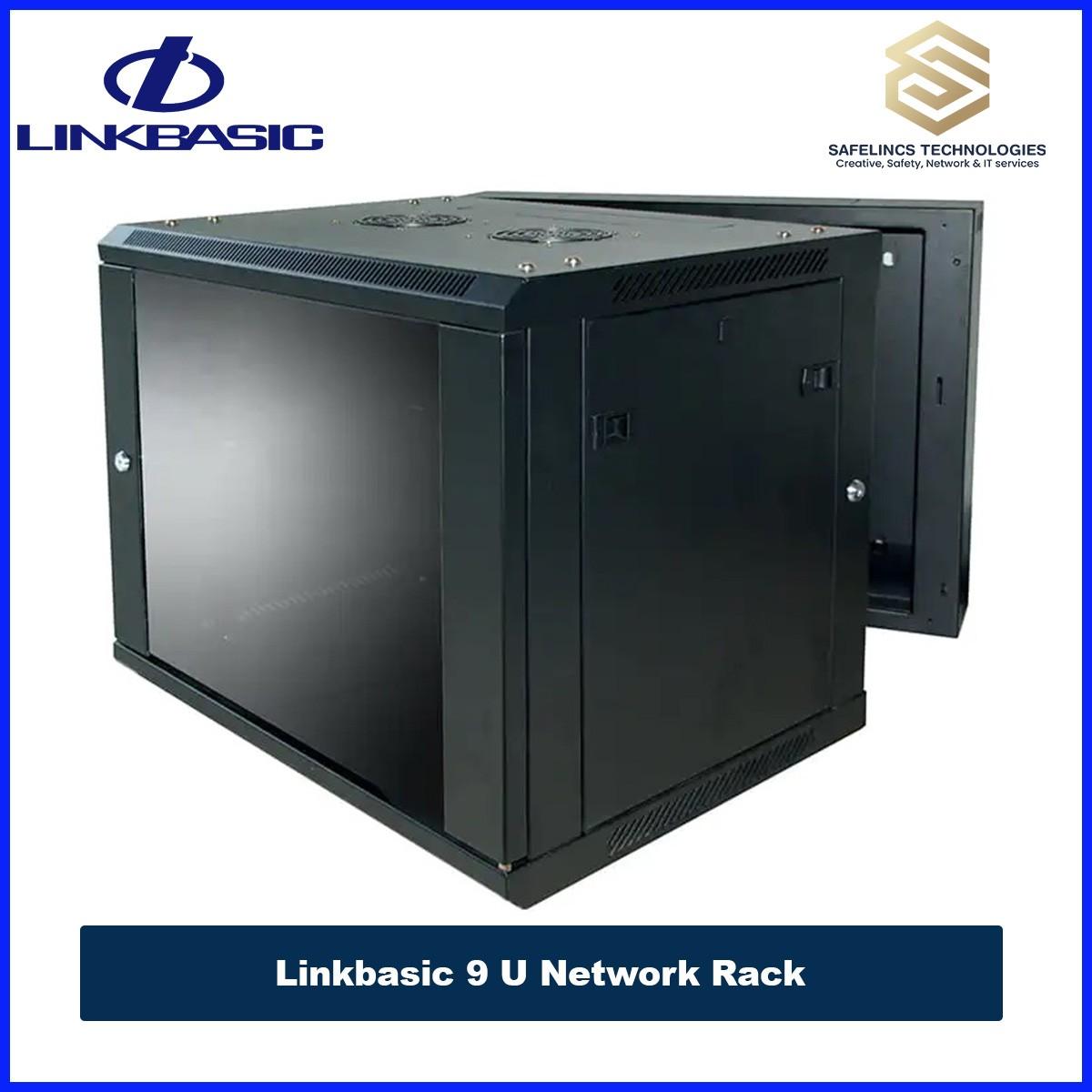
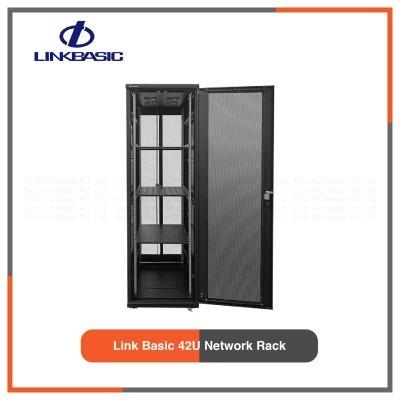
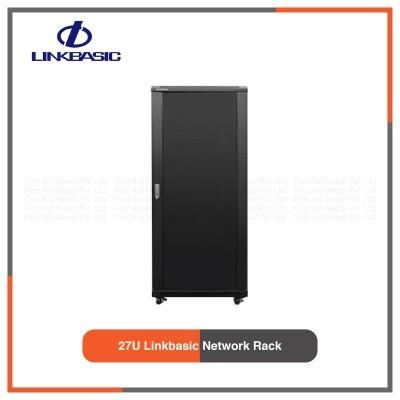
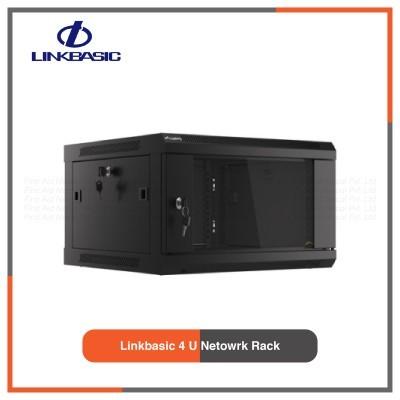
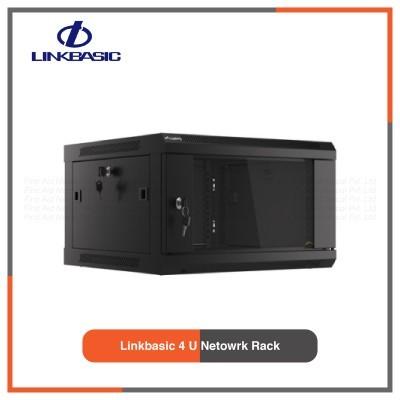
A reliable IT infrastructure requires proper organization, protection, and management of networking and computing equipment. Network racks and server racks are essential components of structured IT environments that provide secure housing, efficient cable management, proper airflow, and easy maintenance access for critical hardware.
In modern offices, enterprises, data centers, and surveillance environments, networking equipment is continuously increasing in complexity. Multiple switches, routers, patch panels, servers, storage devices, and power systems need a properly designed enclosure to maintain performance and reliability.
Safelincs Tech provides network rack and server rack solutions in Nepal designed for different IT infrastructure requirements, including small office networks, enterprise server rooms, CCTV installations, telecom environments, and data centers.
Our rack solutions include:
Wall-mounted network racks for compact installations
Floor-standing server racks for high-density IT environments
Rack cabinets with improved ventilation and security
Accessories for professional cable and power management
A properly selected rack system helps organizations achieve:
Better equipment organization
Improved airflow management
Reduced cable clutter
Easier troubleshooting
Enhanced equipment protection
Future infrastructure scalability
Whether you require a network rack for switches and communication devices or a server rack for enterprise computing equipment, selecting the correct rack size, depth, and design plays an important role in maintaining a stable IT environment.
Understanding Network Rack and Server Rack Systems
Network racks and server racks are standardized equipment enclosures designed to install electronic devices using the 19-inch rack mounting standard. This standard allows networking and computing devices from different manufacturers to be installed inside compatible rack cabinets.
A rack system is not simply a storage cabinet. It is an engineered infrastructure component designed to support:
1. Equipment Mounting
Rack cabinets provide vertical mounting rails where rack-compatible devices can be installed securely. This prevents equipment from being placed randomly and creates a structured installation environment.
For example, a typical rack installation may include:
Network switches
Patch panels
Routers
Firewalls
Servers
Storage devices
Power distribution units
2. Cable Organization
Large network environments can contain hundreds of Ethernet and power cables. Without proper management, cables can block airflow and make maintenance difficult.
Rack systems support organized cable routing through:
Horizontal cable managers
Vertical cable managers
Cable entry points
Patch panel arrangements
This improves troubleshooting efficiency and maintains a cleaner infrastructure layout.
3. Equipment Protection
IT equipment requires protection from unauthorized access, dust, and accidental damage.
Professional rack cabinets provide:
Lockable front doors
Side panels
Strong metal construction
Secure mounting systems
This ensures sensitive networking and computing equipment remains protected.
What is a Network Rack?
A network rack is a rack enclosure specifically designed for installing networking and communication equipment. These racks are commonly used in offices, commercial buildings, CCTV installations, and branch networks where the primary requirement is organized connectivity management.
Unlike server racks, network racks usually support lighter equipment and focus more on cable organization, accessibility, and network device installation.
Equipment Installed in Network Racks
Network racks are commonly used for installing:
1. Network Switches
Network switches connect multiple devices within a local network. Rack-mounted switches require proper placement and cable organization to maintain efficient network management.
2. Patch Panels
Patch panels provide structured termination points for network cables. They allow network cables from different locations to be organized and connected efficiently.
3. Routers and Firewalls
Routers manage communication between networks, while firewalls provide network security. Installing these devices inside racks improves accessibility and protection.
4. Fiber Optic Equipment
Fiber termination boxes and optical networking equipment require secure installation to protect sensitive fiber connections.
5. CCTV Networking Equipment
Network racks are commonly used for CCTV infrastructure, including:
PoE switches
Network switches
NVR-related networking equipment
For complete surveillance solutions, explore our CCTV Camera Systems and Network Video Recorder solutions.
What is a Server Rack?
A server rack is a heavy-duty rack enclosure designed specifically for installing servers, storage systems, and high-performance IT equipment.
Server racks are commonly used in environments where equipment generates more heat and requires higher structural support.
Unlike standard network racks, server racks are designed with:
Greater depth
Higher load capacity
Advanced airflow management
Improved equipment accessibility
Equipment Installed in Server Racks
1. Rack Servers
Rack servers are designed to be mounted horizontally inside rack cabinets. They are commonly used for:
Application hosting
Database management
Virtualization
Enterprise computing
2. Storage Systems
Enterprise storage devices require proper rack installation because of their size and weight.
Examples include:
NAS storage systems
SAN storage systems
RAID storage devices
3. Power Distribution Units (PDU)
PDUs distribute electrical power to multiple rack devices. They help maintain organized power management and reduce cable clutter.
4. UPS Systems
UPS systems provide backup power protection against:
Power interruption
Voltage fluctuation
Electrical instability
Difference Between Network Rack and Server Rack
Although both network racks and server racks use the same 19-inch mounting standard, their design purposes are different.
Feature | Network Rack | Server Rack |
Primary Use | Networking devices | Servers and computing hardware |
Main Equipment | Switches, routers, patch panels | Servers, storage, UPS |
Depth | Usually smaller | Deeper enclosure |
Load Capacity | Medium | High |
Cooling Requirement | Moderate | Advanced |
Typical Application | Offices, CCTV rooms | Data centers, server rooms |
A network rack is optimized for communication infrastructure, while a server rack is optimized for high-performance computing environments.
Types of Network and Server Rack Solutions
1. Wall Mount Network Rack
Wall-mounted network racks are compact rack cabinets designed for locations where floor space is limited.
They are commonly installed in:
Small offices
Retail stores
CCTV monitoring rooms
Branch offices
These racks allow networking equipment to be mounted securely on walls while maintaining easy access for maintenance.
Technical Features
1. 19-Inch Mounting Rails
The standard 19-inch rails allow installation of compatible networking equipment regardless of manufacturer.
2. Ventilation Design
Network equipment generates heat during operation. Ventilation openings and optional cooling fans help maintain proper operating temperature.
3. Lockable Front Door
A secure front door prevents unauthorized access while allowing visibility of installed equipment.
4. Cable Entry System
Cable openings allow network and power cables to enter and exit the cabinet without creating cable stress.
2. Floor Standing Server Rack
Floor-standing server racks are designed for larger IT environments requiring higher equipment capacity.
They are commonly used in:
Enterprise server rooms
Data centers
Large organizations
These racks provide enough space for multiple servers, storage devices, networking equipment, and power systems.
Technical Features
1. High Load Capacity
The reinforced frame structure allows the rack to safely support heavier IT equipment.
2. Improved Cooling
Perforated doors and proper airflow design help remove heat generated by servers and storage devices.
3. Adjustable Mounting Rails
Adjustable rails allow installation of equipment with different depths.
4. Front and Rear Access
Front and rear access improves:
Installation flexibility
Maintenance efficiency
Cable management
Understanding Rack Unit (U) Sizes in Network and Server Racks
When selecting a network rack or server rack, one of the most important technical considerations is the available mounting space. Rack capacity is measured using Rack Units (U), which is the industry-standard measurement used for rack-mounted IT equipment.
One Rack Unit (1U) equals 1.75 inches (44.45 mm) of vertical mounting space.
For example:
A 6U rack provides 6 × 1.75 inches of usable vertical space.
A 42U rack provides 42 × 1.75 inches of mounting capacity.
Understanding rack units helps businesses select the correct cabinet size based on current equipment requirements and future expansion plans.
1. 6U Network Rack
A 6U network rack is a compact rack cabinet designed for small-scale network installations. It is commonly used where limited equipment needs organized mounting. The typical installations include:
Small network switches
Patch panels
Routers
Fiber termination boxes
CCTV networking equipment
These racks are ideal for:
Small offices
Retail outlets
Home offices
Small CCTV installations
The compact design allows organizations to maintain a professional network setup without requiring dedicated server rooms.
2. 9U Network Rack
A 9U network rack provides additional mounting capacity compared to smaller wall-mounted racks. It is suitable for organizations requiring multiple networking components.The common installations include:
24-port or 48-port network switches
Patch panels
Router equipment
Cable management accessories
A 9U rack provides better cable organization and allows future equipment additions compared to smaller cabinets.
3. 12U and 15U Network Rack
Medium-sized organizations often require additional rack capacity for expanding network infrastructure. A 12U or 15U network rack can accommodate:
Multiple switches
Patch panels
Firewalls
Network accessories
Power management equipment
These rack sizes are commonly used in:
Corporate offices
Educational institutions
Branch networks
Commercial buildings
4. 27U Server Rack
A 27U server rack is designed for medium to large IT environments requiring more equipment capacity.
It provides sufficient space for:
Rack servers
Storage systems
Network switches
UPS systems
PDUs
27U racks are suitable for businesses that require a dedicated server room but do not need a full-size data center rack.
5. 42U Server Rack
A 42U server rack is one of the most commonly used enterprise rack sizes.
It is widely deployed in:
Data centers
Enterprise server rooms
Large organizations
Telecom infrastructure
A 42U rack can support high-density installations including:
Multiple rack servers
Storage arrays
Network switches
Power distribution units
Cooling accessories
Important Technical Factors When Selecting a Network or Server Rack
Selecting a rack cabinet requires careful consideration of equipment requirements, environmental conditions, and future expansion needs.
A correctly selected rack improves:
Equipment reliability
Cooling efficiency
Maintenance accessibility
Infrastructure scalability
1. Rack Depth Selection
Rack depth is one of the most important specifications when choosing a rack. The depth determines whether installed equipment can physically fit inside the cabinet. Common rack depths include:
450mm
600mm
800mm
1000mm
1200mm
2. Shallow Depth Rack
Shallow racks are generally used for:
Network switches
Patch panels
Routers
Small communication devices
Example: A wall-mounted network rack with 450mm–600mm depth is commonly sufficient for office networking equipment.
3. Deep Rack Cabinet
Deep server racks are designed for equipment requiring additional installation space. Its applications include:
Rack servers
Storage systems
Enterprise switches
UPS equipment
Deep racks provide additional space for:
Rear cable connections
Power cables
Airflow movement
Rack Load Capacity and Structural Design
The load capacity of a rack determines how much equipment weight the cabinet can safely support. This is especially important for server environments because modern IT equipment can be significantly heavier than networking devices. A server rack should be evaluated based on:
1. Static Load Capacity
Static load refers to the maximum weight the rack can support while stationary. It includes:
Servers
Storage devices
Network equipment
Accessories
2. Dynamic Load Capacity
Dynamic load refers to the weight capacity when the rack is moved while equipment is installed.
This is important during:
Rack relocation
Data center restructuring
Equipment upgrades
Airflow and Thermal Management in Rack Cabinets
Heat management is one of the most critical aspects of server rack installation.
Electronic equipment generates heat during operation, and poor airflow can lead to:
Hardware overheating
Reduced equipment lifespan
System instability
Unexpected downtime
A professionally designed rack cabinet manages airflow using several methods.
1. Front-to-Back Airflow Design
Most enterprise IT equipment follows a front-to-back cooling design. The airflow process works as:
Cold air enters from the front → passes through equipment → hot air exits from the rear
Proper rack placement ensures hot air does not circulate back into equipment.
2. Perforated Rack Doors
Server racks commonly use perforated doors that allow continuous airflow. Benefits include:
Better ventilation
Improved cooling efficiency
Reduced heat accumulation
3. Rack Cooling Fans
Cooling fan units can be installed in racks where additional airflow is required. They are commonly used in:
Network cabinets
Small server rooms
CCTV rack installations
Cable Management in Network and Server Rack Systems
Cable management is a critical part of professional rack installation. Poor cable organization can create: difficult troubleshooting, blocked airflow, increased maintenance time and higher risk of cable damage. A structured rack installation uses dedicated cable management accessories.
1. Horizontal Cable Manager
Horizontal cable managers organize patch cables between rack-mounted devices. They help: maintain clean cable routing, reduce cable bending and improve equipment accessibility
2. Vertical Cable Manager
Vertical cable managers are installed along rack sides to organize large cable bundles. They are especially useful in: large server racks, enterprise networks and data centers
Their benefits include: better airflow, reduced cable stress and cleaner installation
Patch Panel Integration
Patch panels are essential components in structured network installations. They provide: Organized cable termination, easier troubleshooting and better network documentation
A typical network rack installation may include:
Patch panel
Network switch
Cable manager
Router/firewall
Power Management Inside Rack Cabinets
Power management is essential for reliable rack operation. Rack-mounted power solutions include:
1. Power Distribution Unit (PDU)
A PDU distributes electrical power to multiple devices inside the rack. Its benefits are: Organized power connections, reduced cable clutter and better power management
2. UPS Integration
UPS systems provide backup power protection for critical IT equipment. They protect against: Power outages, voltage fluctuations and electrical instability
Applications of Network Rack and Server Rack Solutions
1. Enterprise Offices
Modern businesses use rack systems to organize: Network switches, routers, firewalls, patch panels and communication equipment. A properly organized rack improves IT management and reduces maintenance challenges.
2. Data Centers
Data centers depend on high-capacity server racks to support: servers, storage systems, network infrastructure and power management systems
Server racks in data centers require: high load capacity, advanced cooling and structured cable management
3. CCTV Surveillance Infrastructure
Security systems often require organized rack installation for: NVR systems, PoE switches and network devices.
Safelincs Tech also provides complete CCTV solutions in Nepal for commercial and residential applications.
How to Choose the Right Network or Server Rack?
Before purchasing a rack cabinet, consider the following technical factors:
1. Identify Equipment Requirements
Determine what equipment will be installed:
For networking:
Switches
Routers
Patch panels
For servers:
Rack servers
Storage systems
UPS
2. Calculate Required Rack Space
Estimate current requirements and allow additional space for future expansion. A common practice is to keep approximately 20–30% additional rack space available for upgrades.
3. Select Appropriate Rack Depth
Ensure the rack depth supports:
Equipment dimensions
Cable connections
Power requirements
4. Consider Cooling Requirements
High-performance equipment requires:
Proper ventilation
Airflow planning
Cooling accessories
5. Plan Cable Management
A professional installation should include:
Patch panels
Cable managers
Organized power routing
Why Choose Safelincs Tech for Network Rack and Server Rack Solutions in Nepal?
Safelincs Tech provides professional IT infrastructure solutions designed for businesses, enterprises, and technical environments.
Our network and server rack solutions support:
Structured equipment installation
Reliable infrastructure management
Professional cable organization
Improved equipment protection
Scalable IT expansion
With solutions suitable for small offices, enterprise networks, CCTV systems, and server rooms, Safelincs Tech helps organizations build organized and efficient IT infrastructure.
Explore our complete range of networking solutions for professional infrastructure requirements.
Frequently Asked Questions
1. What is the difference between a network rack and a server rack?
A network rack is designed mainly for networking equipment such as switches, routers, and patch panels, while a server rack is designed for heavier equipment including servers, storage devices, and enterprise hardware.
2. What size network rack is suitable for a small office?
A 6U, 9U, or 12U network rack is generally suitable for small offices depending on the number of switches, patch panels, and networking devices required.
3. What does a 19-inch rack mean?
A 19-inch rack refers to the standardized width between rack mounting rails where compatible networking and server equipment can be installed.
4. What is a 42U server rack used for?
A 42U server rack is commonly used in enterprise server rooms and data centers where multiple servers, storage systems, and networking devices need to be installed.
5. Can network racks be used for servers?
Some smaller servers may fit in certain network racks, but dedicated server racks are recommended because they provide better depth, load capacity, and cooling.
6. Why is airflow important in server racks?
Proper airflow prevents overheating, improves equipment reliability, and helps maintain optimal operating temperatures.
7. What equipment can be installed in a network rack?
Network racks can contain: switches, routers, patch panels, firewalls, fiber equipment and cctv networking devices
8. What affects server rack price in Nepal?
Server rack pricing depends on: Rack size, depth, material quality, load capacity, cooling features and accessories.
9. Do server racks require cable management?
Yes, Proper cable management improves airflow, simplifies troubleshooting, and makes future upgrades easier.
10. Where can I buy network racks and server racks in Nepal?
Safelincs Tech provides network racks, server racks, and complete IT infrastructure solutions for businesses, offices, and enterprise environments throughout Nepal.