
Biometric Attendance System
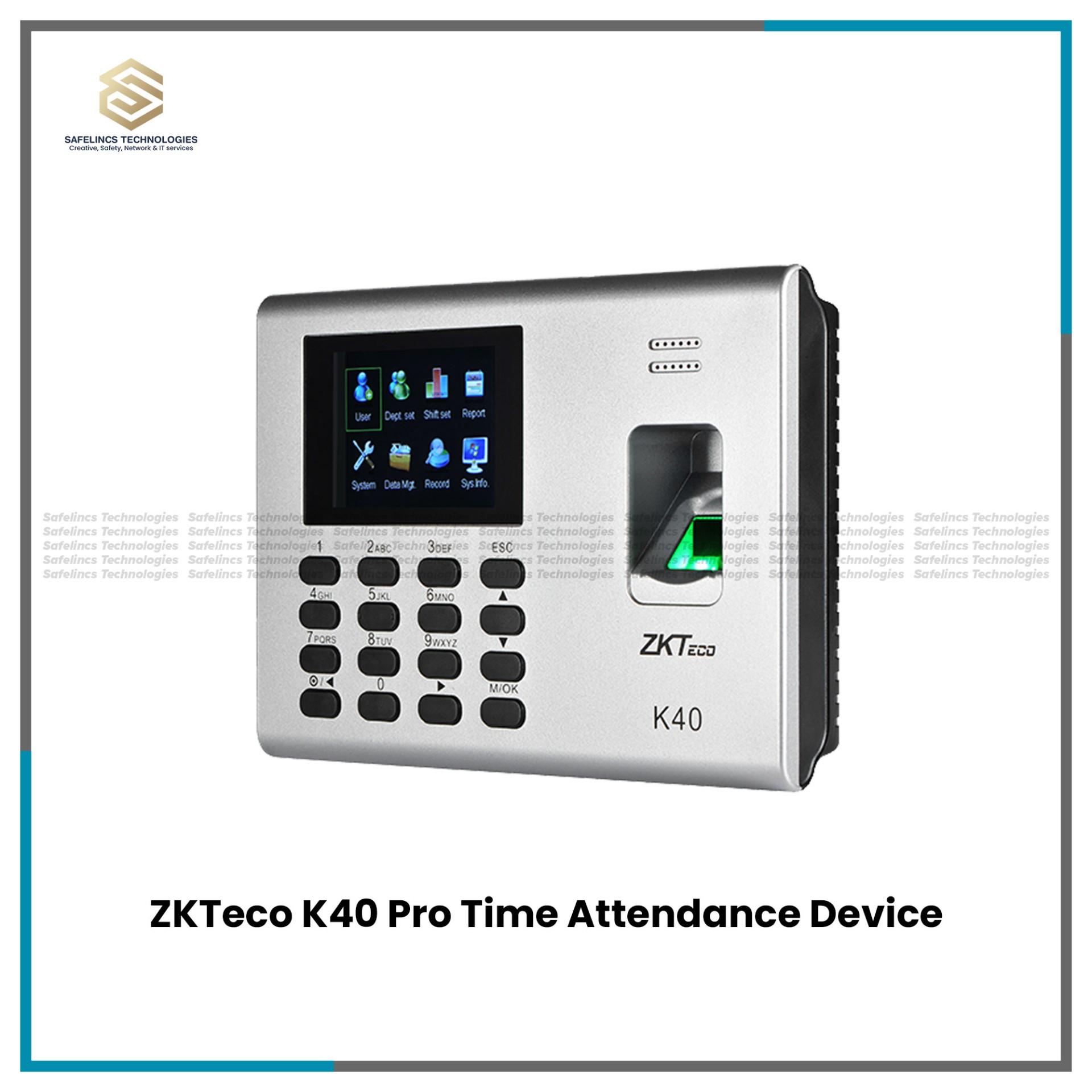
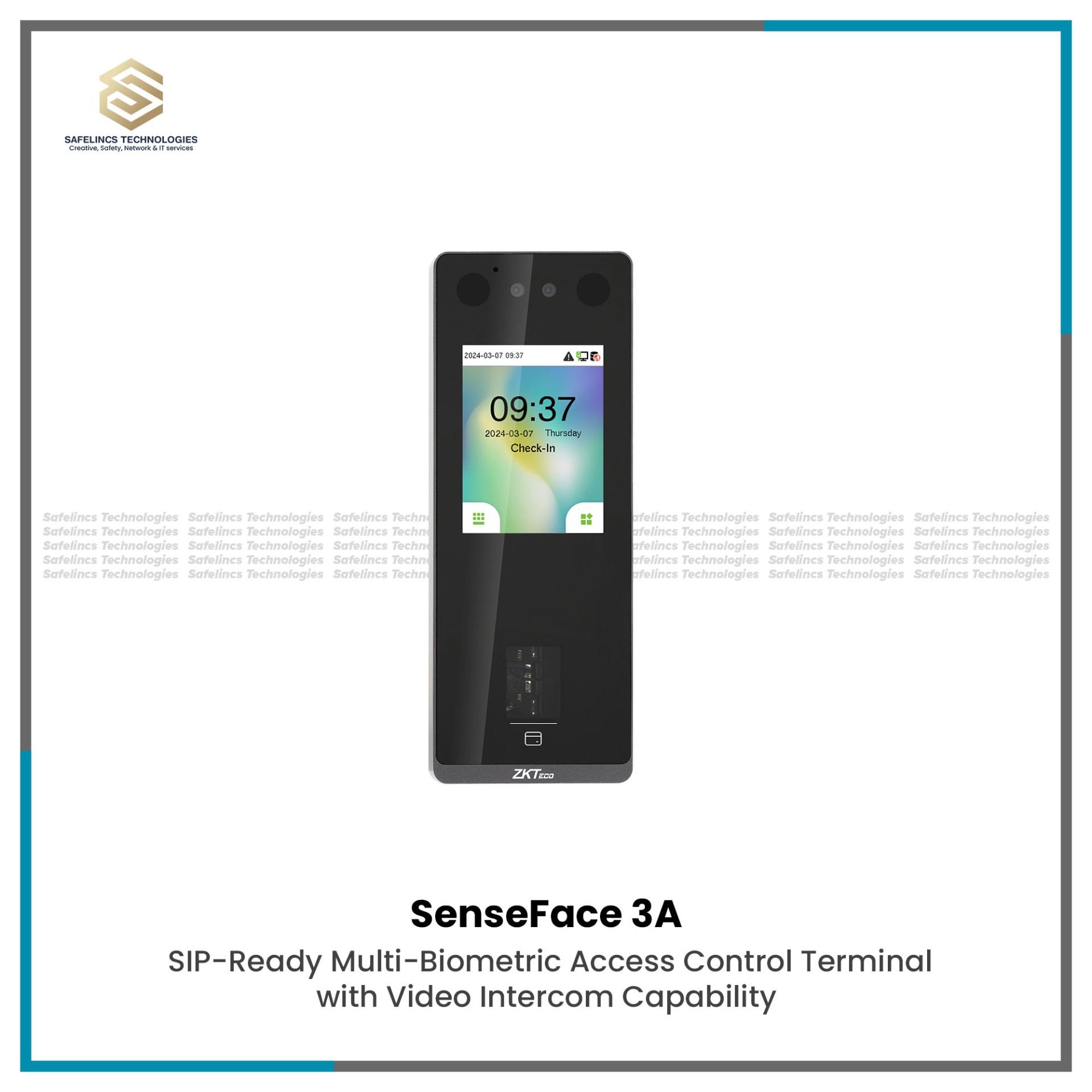
Facial Time Attendance System
ZKTeco-SenseFace-3A-Best Time Attendance MachineRs. 22,343
Rs. 24,286-8% OFF
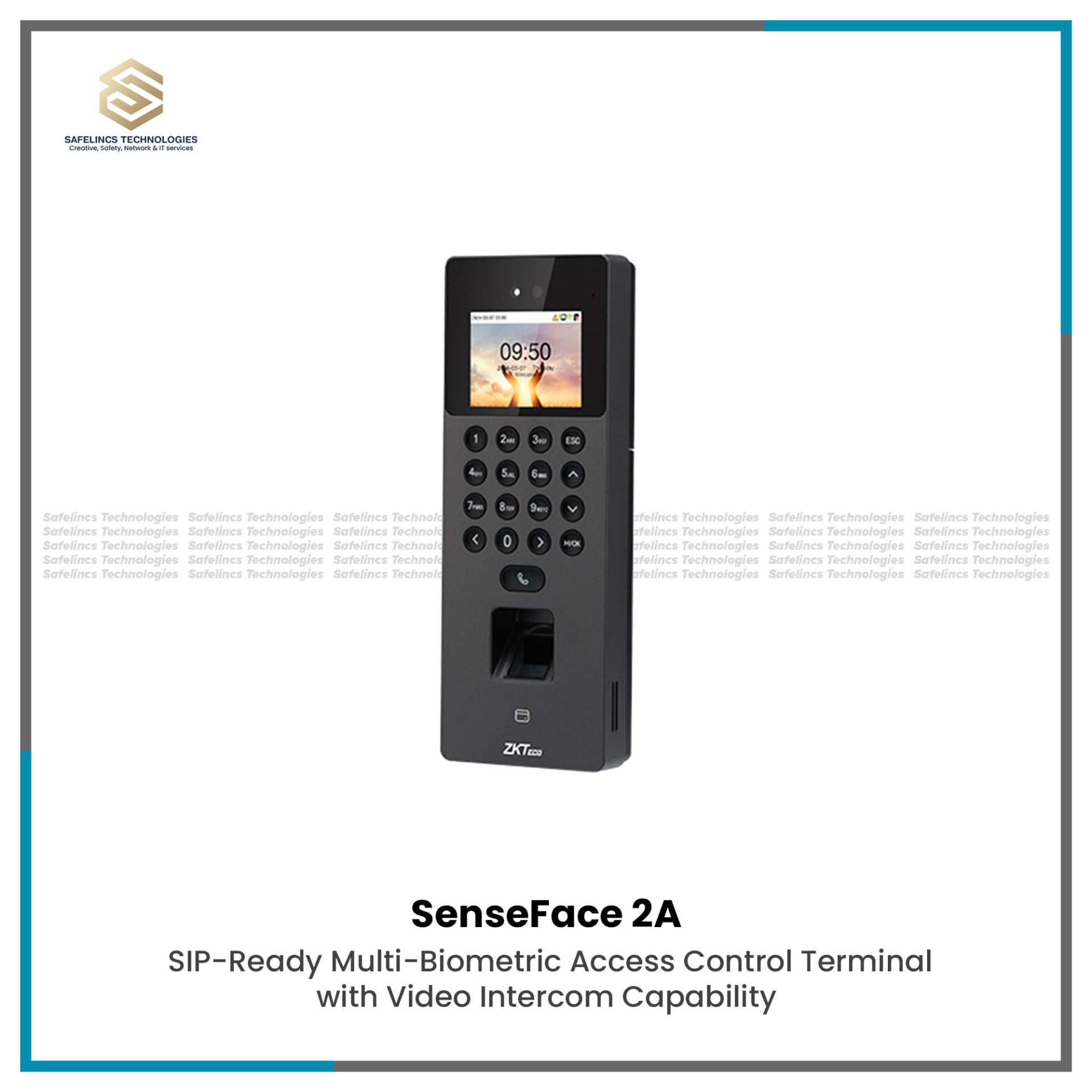
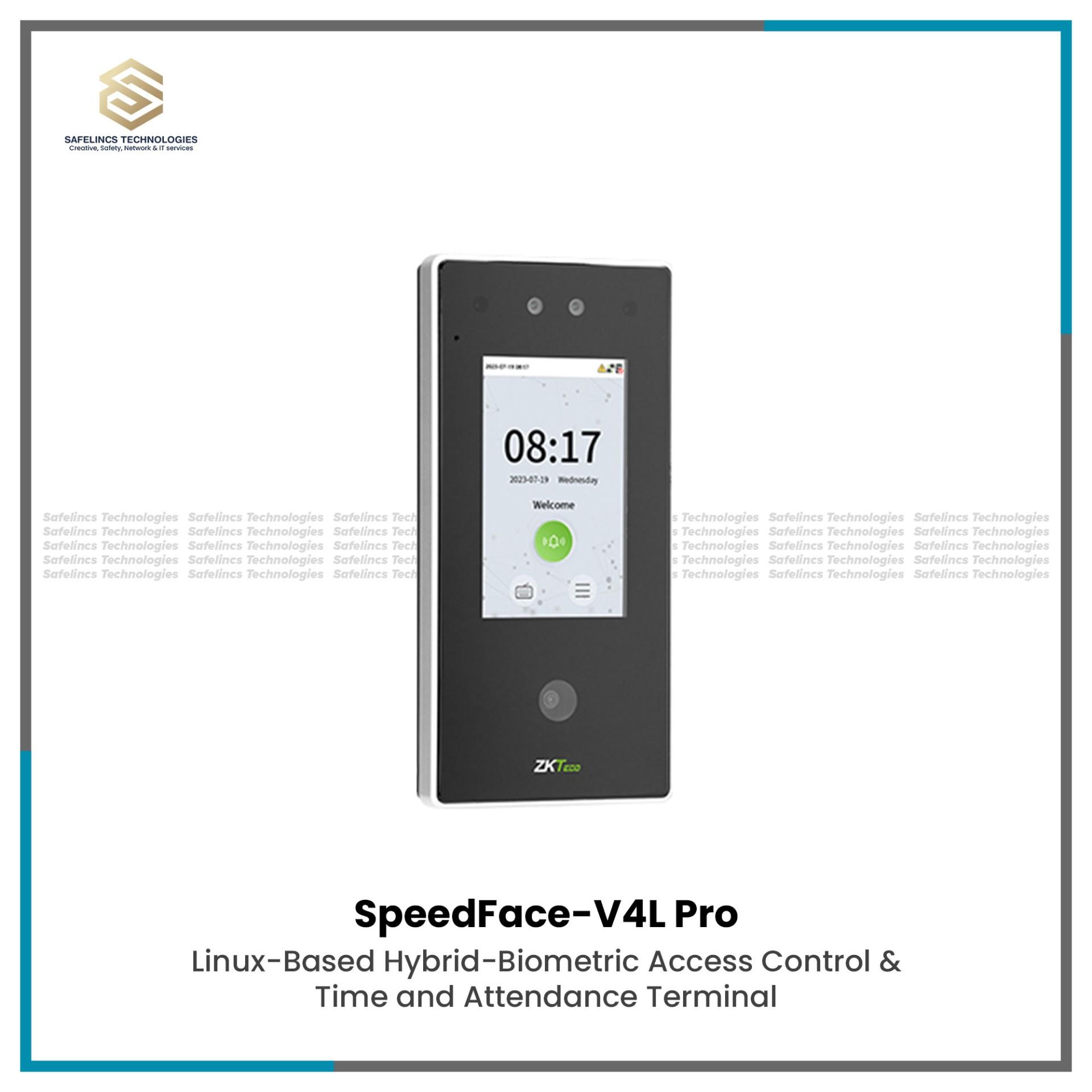
Facial Time Attendance System
ZKT SpeedFace-V4L-Pro Biometric & Time Attendance MachineRs. 36,735
Rs. 39,500-7% OFF
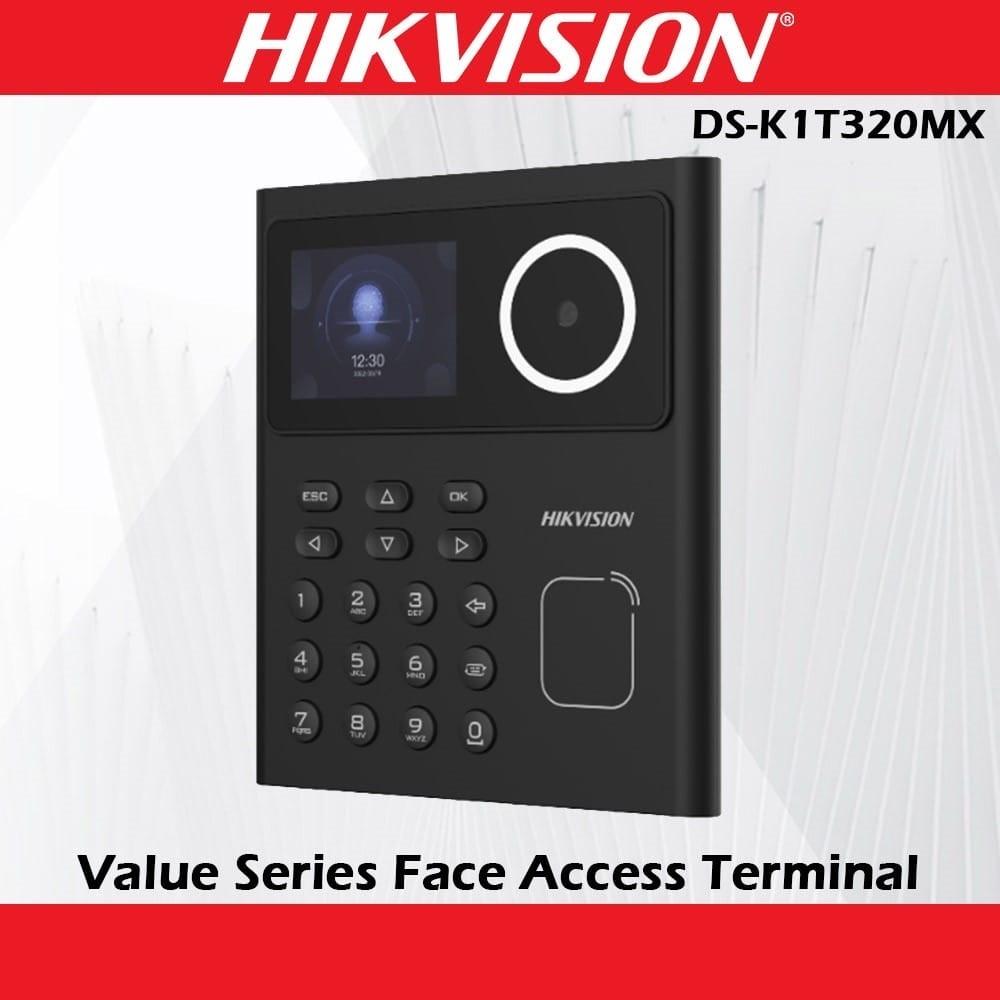
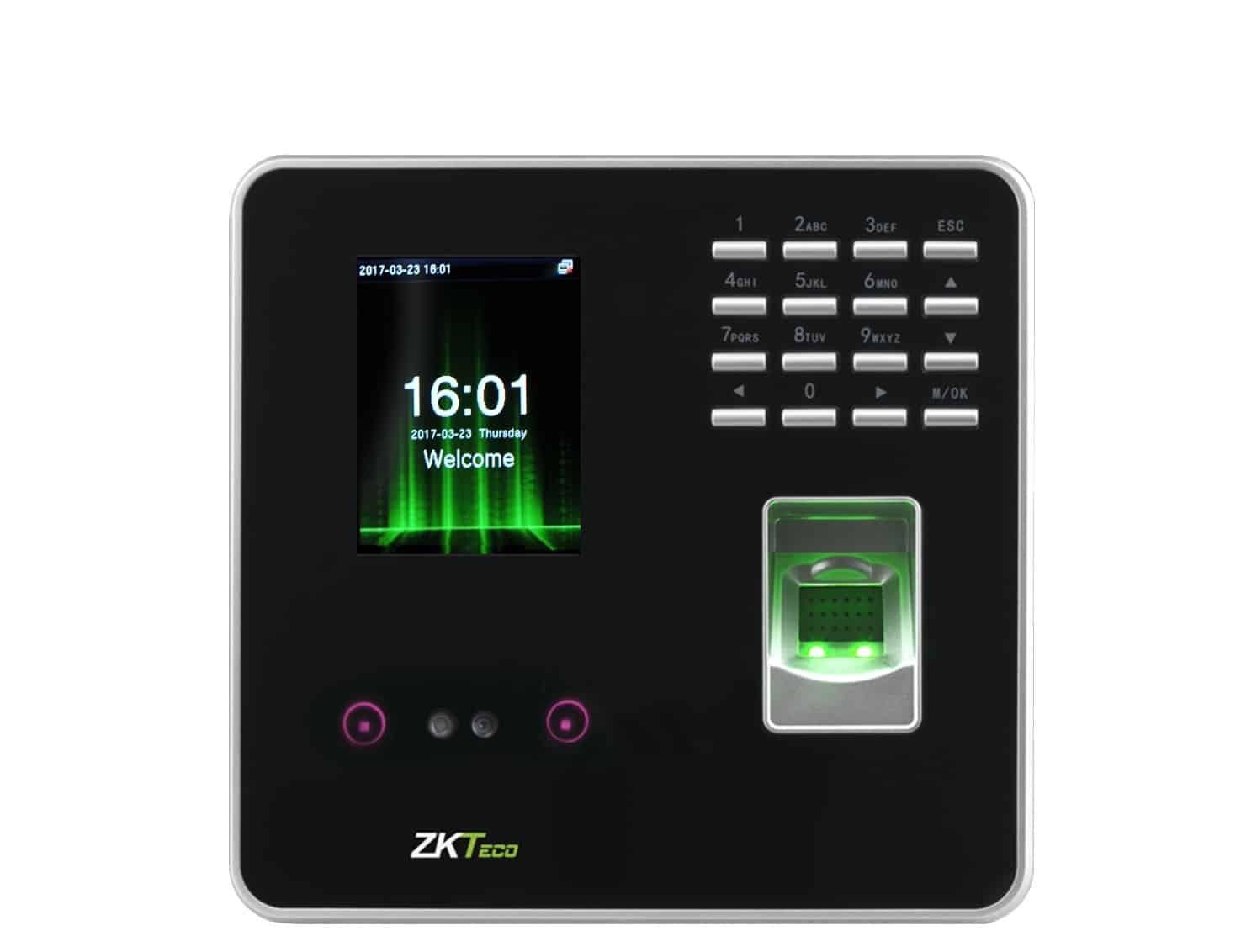
A biometric attendance system in Nepal provides an automated method of identifying employees and recording their working hours through biometric authentication technologies such as fingerprint recognition and facial recognition. Depending on the selected device, authentication may also be combined with RFID cards, passwords or PIN codes to provide flexible employee verification.
Unlike manual registers or conventional punch-card systems, a biometric attendance machine associates attendance transactions with an enrolled user identity. Once an employee is verified, the device records the transaction time and transfers the attendance information to compatible attendance management software for processing. Safelincs Technologies supplies biometric time attendance devices for offices, industries, educational institutions, hospitals, hotels, government organizations and other workplaces throughout Nepal.
Users looking specifically for fingerprint-based terminals can explore the Biometric Time Attendance Devices category, while organizations requiring contactless authentication can view the Facial Time Attendance Systems category.
What Is a Biometric Time Attendance System?
A biometric time attendance system is an electronic employee attendance solution that uses measurable biological characteristics to verify the identity of a registered user. A complete system normally consists of the biometric terminal, an authentication sensor or camera, internal device memory, a communication interface and attendance management software.
During employee enrollment, the system captures characteristics from a fingerprint or face and processes them into a biometric template that can later be used for matching. When the employee checks in or out, the biometric terminal captures a new sample, compares it with the enrolled template and records the attendance transaction after successful verification.
The basic technical workflow is:
Employee authentication → Biometric template matching → Identity verification → Timestamp generation → Transaction storage → Attendance software synchronization
The physical terminal is therefore only one part of the solution. Attendance software is responsible for processing raw transactions into information such as working hours, late arrivals, early departures, shifts, overtime and attendance reports.
How Does a Biometric Attendance System Work?
1. Employee Enrollment
The first stage is employee enrollment. An administrator creates a user record inside the biometric device or attendance platform and associates it with one or more authentication credentials. Depending on the terminal, these credentials may include fingerprints, facial templates, RFID cards or passwords.
Fingerprint-based devices may allow more than one finger to be registered for the same employee. This provides an alternative authentication option when a particular fingerprint cannot be read properly because of poor enrollment quality, skin condition or temporary damage to the finger.
Facial recognition terminals create a facial template during enrollment. Proper camera positioning, lighting and enrollment conditions are important because the quality of the original biometric data can influence later recognition performance.
2. Biometric Capture and Authentication
When an employee attempts to record attendance, the biometric terminal captures a new biometric sample and processes it through its matching algorithm.
A fingerprint attendance machine analyzes distinctive characteristics found in the fingerprint. Rather than simply treating the fingerprint as a conventional photograph, biometric matching can use characteristics such as ridge endings, bifurcations and the relative arrangement of minutiae points to create a template for comparison.
Recognition performance can be affected by the sensor technology, enrollment quality, sensor cleanliness and condition of the employee's finger. Some Safelincs fingerprint attendance terminals, such as the ZKTeco K40 category products, support TCP/IP and USB communication in addition to fingerprint authentication.
A face recognition attendance system performs authentication through a camera and facial-recognition algorithm. Depending on the selected model, the terminal may support visible-light recognition, infrared-assisted detection, dual-camera configurations, anti-spoofing or liveness-detection technologies.
Face recognition is particularly useful where contactless authentication is preferred or where a large number of employees must pass through an attendance point efficiently. Available facial terminals from ZKTeco and Hikvision can be found in the Facial Time Attendance System.
3. 1:1 Verification and 1:N Identification
Biometric systems can perform either 1:1 verification or 1:N identification depending on their configuration.
In 1:1 verification, the employee first provides an identity reference such as an ID number or registered card. The captured biometric sample is then compared only with the biometric template associated with that user.
In 1:N identification, the system does not necessarily require the user to provide their identity first. Instead, the captured biometric information is compared against multiple enrolled templates until the matching algorithm identifies the corresponding employee. For larger organizations, the performance of 1:N identification depends significantly on device processing capability, template capacity and recognition algorithm efficiency.
4. Attendance Transaction Recording
After successful authentication, the system creates a digital attendance transaction. A transaction generally associates the employee identity with a timestamp, date, authentication method and originating device.
The attendance management software can then interpret these transactions according to organizational policies. For example, a check-in recorded after the configured shift start time can be classified as a late arrival, while a check-out performed before the scheduled end time can be identified as an early departure.
This separation between raw biometric transactions and attendance calculations is important. The terminal primarily records authentication events, while the software applies shift rules, schedules, overtime policies and reporting logic.
Types of Biometric Attendance Machines
1. Fingerprint Time Attendance System
A fingerprint time attendance system uses a biometric fingerprint sensor to authenticate registered employees. It is commonly used in offices, schools, retail businesses, hotels, warehouses and industrial environments where individual employee verification is required.
When selecting a fingerprint attendance machine, the organization should check fingerprint capacity, total user capacity, transaction storage, recognition speed, communication interfaces and attendance software compatibility. Sensor condition and installation environment should also be considered because dust, moisture and poor-quality fingerprint enrollment can influence authentication reliability.
Safelincs provides a dedicated range of Biometric Time Attendance Devices, including fingerprint-based ZKTeco terminals. The K40, for example, is listed with fingerprint storage, transaction storage, TCP/IP and USB Host connectivity.
2. Face Recognition Attendance System
A face recognition attendance system identifies employees through facial characteristics captured by an integrated camera. Because users do not normally need to touch a sensor, facial authentication provides a contactless alternative to fingerprint-based attendance.
Technical specifications can vary substantially between facial terminals. Important factors include facial template capacity, recognition speed, camera technology, recognition distance, low-light performance, anti-spoofing functionality and supported secondary authentication methods.
Some devices combine face authentication with fingerprint, RFID card and password verification. For example, the ZKTeco SenseFace 2A listed by Safelincs supports multiple authentication methods and also provides access-control functions for components such as an electric lock, door sensor and exit button.
Organizations specifically requiring facial identification can browse Face Recognition Attendance Systems.
3. RFID and Card-Based Attendance
Some biometric attendance terminals also contain RFID or smart-card readers. Employees can therefore authenticate with a registered card instead of, or in combination with, a biometric credential.
The actual authentication configuration depends on the device. A terminal may support face, fingerprint, RFID or password individually, while multi-factor configurations may combine a card with a fingerprint or another credential.
Card authentication can be useful as a backup method where biometric recognition is temporarily unavailable, but organizations should consider that cards can be shared or misplaced. Biometric verification provides an additional identity-assurance layer because the credential is associated directly with the enrolled employee.
4. Multi-Biometric Attendance System
A multi-biometric attendance machine combines several authentication technologies in a single terminal. Depending on the selected system, it may support facial recognition, fingerprint authentication, RFID card verification and passwords, while some specialized systems may also support palm-based recognition.
The main advantage is flexibility. Different authentication policies can be configured for different employees, locations or security requirements without deploying a separate terminal for every credential type.
Multi-biometric devices are particularly useful when attendance management and physical access control are expected to operate through the same infrastructure.
Technical Specifications of a Biometric Attendance System
1. User and Biometric Template Capacity
One of the most important specifications is system capacity. However, user capacity and biometric template capacity should not automatically be treated as the same measurement.
A terminal may support a certain number of registered employees but have separate limits for fingerprint templates, facial templates and RFID cards. Organizations should therefore estimate both current employee numbers and future expansion before selecting an attendance device.
For example, the SenseFace 2A listed by Safelincs specifies separate user, fingerprint, face, card and transaction capacities, demonstrating why buyers should evaluate each capacity rather than relying on a single overall number.
2. Transaction Capacity
Transaction capacity refers to the number of attendance events that can be retained by the terminal's internal storage.
This becomes particularly important for organizations with large workforces, multiple shifts or several attendance events per employee each day. If attendance data is synchronized continuously with a server, very large local storage may be less critical; however, greater capacity provides additional operational tolerance when network synchronization is temporarily unavailable.
Organizations should therefore evaluate transaction capacity together with synchronization frequency and network reliability.
3. Recognition Speed
Recognition speed represents how quickly the terminal can capture biometric information, process it and identify the employee.
For a small office, a slight difference in authentication time may have limited operational impact. In a factory, hospital, school or large corporate facility where many employees check in at approximately the same time, even small delays per authentication can create queues.
When comparing devices, recognition speed should therefore be considered together with user capacity, processor performance and the biometric method being used.
4. FAR and FRR in Biometric Authentication
Two technical terms commonly associated with biometric systems are False Acceptance Rate (FAR) and False Rejection Rate (FRR).
FAR represents the possibility that an unauthorized biometric sample is incorrectly accepted as belonging to an enrolled user. FRR describes the opposite situation, where a legitimate employee is rejected even though their biometric credential has been registered.
Biometric matching systems use thresholds to balance security and usability. A stricter matching threshold can reduce false acceptance but may increase the chance of legitimate users being rejected. The actual FAR and FRR values should be taken from the manufacturer's specification for the individual device rather than assumed for every biometric system.
Network Connectivity for Biometric Attendance Systems
1. TCP/IP and Ethernet Connectivity
TCP/IP is commonly used to connect biometric attendance machines to attendance servers over an organization's local area network. In a typical installation, the attendance terminal connects to a network switch or router, receives an IP configuration and communicates with attendance software running on a workstation or server.
This architecture allows attendance data to be collected centrally without manually exporting logs from every device. In organizations with several terminals or multiple network segments, correct IP addressing, routing, firewall configuration and server accessibility become important parts of the deployment.
Businesses developing a managed network infrastructure can also explore Safelincs' network switching solutions, including its managed PoE product range.
2. Wi-Fi Biometric Attendance System
A Wi-Fi biometric attendance system can be useful where running Ethernet cabling to the attendance terminal is difficult. The terminal communicates with the organization's wireless network and transfers attendance information to the configured software or cloud platform.
Wireless deployment still requires proper network planning. Signal strength, wireless security, IP addressing, access-point placement and communication with the attendance server should all be checked during installation.
Wi-Fi availability is model-specific, so buyers should verify the communication specifications of the selected biometric attendance machine before purchasing.
3. USB Attendance Data Transfer
Some attendance machines support USB Host functionality, allowing attendance records to be transferred manually through compatible USB storage.
This method can be useful at locations where a permanent network connection is unavailable. However, network-based synchronization is generally more practical when attendance data must be transferred frequently or centrally managed across several terminals.
The ZKTeco K40 listed by Safelincs, for example, supports TCP/IP together with USB Host communication.
Biometric Attendance Software and Attendance Management
The biometric terminal is responsible primarily for identity verification and transaction capture, while biometric attendance software converts those transactions into usable HR and workforce information.
The software can associate users with departments, shifts and attendance rules. Once attendance logs are synchronized, the system can calculate working hours, lateness, early departures, overtime and other attendance conditions according to configured organizational policies.
Advanced attendance implementations may also integrate attendance information with payroll or human-resource systems. The exact functionality depends on the software platform and device compatibility, so integration requirements should be established before hardware selection.
For organizations with several branches, centralized attendance software can also simplify reporting by collecting records from multiple devices into a common platform.
Local Server vs Cloud-Based Attendance System
1. Local or On-Premise System
In a local attendance architecture, biometric terminals communicate with a server or workstation located within the organization's own network.
The typical flow is:
Biometric Attendance Machine → LAN → Local Server → Attendance Software
This approach can be suitable for organizations that want the attendance database and software to remain inside their internal IT environment. It requires appropriate server hardware or a workstation, network connectivity, database management and regular data backups.
2. Cloud-Based Attendance System
In a cloud attendance architecture, compatible terminals synchronize attendance information through the internet to a hosted attendance platform.
The general architecture becomes:
Attendance Terminal → Internet → Cloud Platform → Browser or Application
Cloud-based deployment can simplify centralized management for organizations with several locations because authorized administrators may be able to review attendance information without being connected directly to each branch LAN.
However, cloud functionality should never be assumed simply because a device has Wi-Fi or Ethernet. The attendance terminal and software platform must specifically support the required cloud architecture.
Biometric Attendance and Door Access Control Integration
Some biometric attendance terminals can perform both employee attendance recording and physical access control.
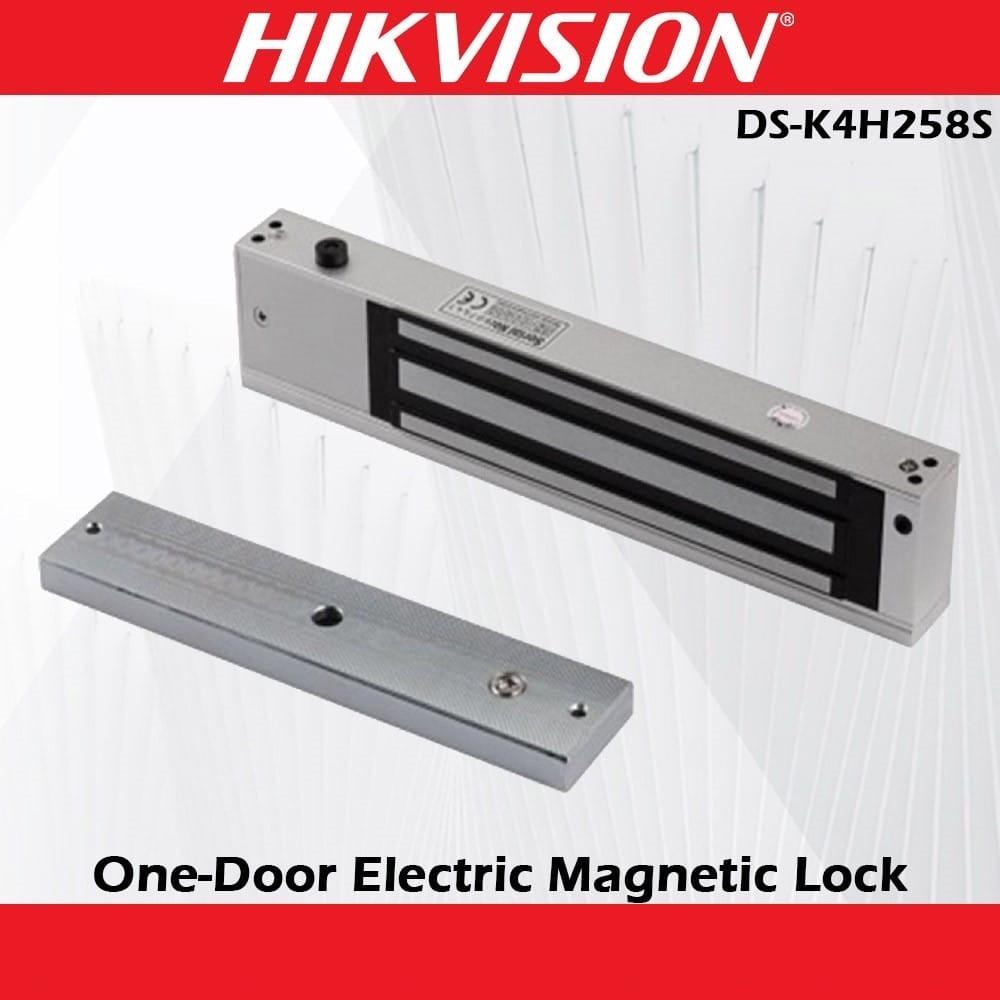
In such an installation, successful biometric authentication can generate an attendance transaction while also triggering an access-control output to unlock a door. Depending on the terminal and access-control architecture, the installation may include an electromagnetic lock, exit button, door sensor, access controller, relay output or compatible reader.
Safelincs provides dedicated Hikvision Access Control Systems that include biometric access-control devices, electromagnetic locks and related solutions.
When attendance and door control are integrated, power requirements, lock wiring, emergency exit requirements and device compatibility should be evaluated separately from the attendance software configuration.
Security in Biometric Attendance Systems
1. Biometric Template Management
Biometric attendance systems use processed biometric templates for identification and verification. Access to biometric enrollment, deletion and device configuration should therefore be restricted to authorized administrators.
Organizations should also define procedures for adding new employees and removing biometric credentials when employees leave the organization. Proper user lifecycle management prevents inactive employee records from remaining unnecessarily available within the attendance system.
2. Anti-Spoofing and Liveness Detection
Some modern face recognition terminals include anti-spoofing or liveness-detection functions designed to distinguish an actual person from certain presentation attempts such as photographs or videos.
The level of protection depends on the device's camera hardware and recognition algorithm. Organizations requiring this capability should verify that the selected attendance model specifically supports anti-spoofing rather than assuming that all face-recognition terminals provide the same protection.
3. Network and Administrative Security
Attendance machines connected to a corporate network should be treated as network endpoints rather than isolated devices. Administrator passwords should be protected, unnecessary access should be restricted and attendance databases should be backed up according to the organization's IT policies.
Where practical, network segmentation can be used to separate security and attendance devices from general employee network traffic. Firmware and attendance software should also be maintained according to manufacturer recommendations.
Biometric Attendance System Price in Nepal
The biometric attendance system price in Nepal varies according to the type of biometric technology, employee capacity, transaction storage, communication interfaces, display, software functionality and access-control capability.
A basic fingerprint attendance machine normally has different hardware and capacity requirements from a high-capacity facial recognition terminal. Similarly, a device designed only for attendance recording can differ in price from a multi-biometric terminal with face recognition, fingerprint authentication, RFID and door access control.
For this reason, buyers should compare technical specifications rather than selecting a biometric attendance machine only on price. Safelincs displays current prices directly with applicable products on its biometric attendance category where prices are available.
ZKTeco Biometric Attendance Systems in Nepal
Safelincs supplies multiple ZKTeco biometric attendance systems in Nepal, including fingerprint and facial-recognition terminals.
The available range includes devices such as the K40, MB2000, SenseFace series and SpeedFace models. Different devices are intended for different authentication and capacity requirements, so organizations should compare fingerprint capacity, face capacity, communication interfaces and access-control functionality before selecting a model.
For example, Safelincs' SenseFace 2A listing includes fingerprint, face, card and password authentication together with TCP/IP communication and access-control functions.
Hikvision Biometric Attendance Systems in Nepal
Hikvision also provides biometric time attendance and access-control devices using technologies such as fingerprint, RFID card and facial recognition.
Safelincs lists Hikvision biometric products alongside its CCTV, networking and access-control solutions, enabling organizations to build more integrated physical-security infrastructure where compatible equipment is used.
The appropriate Hikvision terminal should be selected according to authentication requirements, user capacity, communication method and whether the device will be used only for attendance or also for access control.
Applications of Biometric Time Attendance Systems
1. Corporate Offices
Corporate offices can use biometric attendance systems to automate employee check-in and check-out records. Attendance software can then process these transactions against predefined work schedules and generate information about working hours, lateness and overtime.
2. Factories and Industries
Factories normally require higher transaction capacity and fast authentication because large numbers of workers may begin or end shifts at similar times. Device durability, network availability and recognition speed therefore become particularly important in industrial deployment.
3. Schools and Colleges
Educational institutions can use attendance systems for faculty, administrative staff and other employees. Where multiple departments or campuses are involved, centralized software can simplify attendance reporting.
4. Hospitals
Hospitals operate around multiple shifts and frequently require attendance tracking outside conventional office hours. A properly configured attendance platform can associate employees with different rosters and process attendance according to assigned shift times.
5. Hotels and Restaurants
Hotels and restaurants frequently operate rotating schedules, weekend shifts and extended operating hours. Biometric attendance can help associate working-time records with specific employees even when shift patterns change.
6. Construction and Remote Worksites
Construction environments may require different considerations from conventional office deployment, including connectivity, power availability, dust, weather exposure and employee volume. Device environmental ratings and installation requirements should therefore be verified before deployment.
How to Choose the Right Biometric Attendance Machine?
The right biometric attendance machine should first be selected according to the number of employees and required authentication technology. A small office may only require a basic fingerprint terminal, while a larger organization may need face recognition, RFID support or a multi-biometric terminal with higher user and transaction capacity.
Next, evaluate the network architecture. If attendance data must synchronize automatically with a local server, TCP/IP connectivity is important. Where Ethernet cabling is unavailable, a model with supported Wi-Fi functionality may be more suitable.
Organizations should also determine whether the attendance machine needs to integrate with door access control. If physical access is required, the selected terminal must support the necessary relay, lock, sensor or controller interfaces rather than being a time-attendance-only model.
Finally, compare attendance software compatibility, reporting requirements, installation environment, warranty and technical support. Selecting hardware after defining these requirements usually results in a more scalable deployment than choosing a device solely according to purchase price.
Biometric Attendance Machine Supplier in Nepal
Safelincs Technologies supplies biometric attendance machines and related security technologies in Nepal, including products from ZKTeco and Hikvision. The available solutions cover fingerprint attendance, facial recognition, multi-biometric authentication and compatible access-control applications.
In addition to supplying equipment, attendance-system deployment can involve device configuration, employee enrollment, network setup, attendance software configuration and integration with compatible access-control components.
Businesses can browse the completeSafelincs Technologies product range for biometric, networking, CCTV, access-control and other security infrastructure solutions.
Installation and Configuration of a Biometric Attendance System
A professional installation begins with determining the number of employees, authentication technology, device location, software platform and network architecture.
Once the correct device has been selected, the terminal should be mounted where employees can authenticate easily without creating unnecessary congestion. Facial terminals require particular attention to camera height, user position and lighting, while fingerprint terminals should be positioned where the sensor can be used comfortably.
For a network-connected system, the next stage is configuring Ethernet or Wi-Fi connectivity, IP addressing and communication with the attendance server. The attendance software is then configured with employees, departments, work schedules and attendance rules before synchronization is tested.
If the terminal is also used for access control, the door lock, exit button, door sensor and related power requirements must be tested independently. Finally, administrators should be trained to enroll users, export reports, maintain backups and troubleshoot basic communication or authentication issues.
Frequently Asked Questions
1. What is a biometric attendance system?
A biometric attendance system records employee attendance after verifying an individual's identity through a biometric characteristic such as a fingerprint or face. Once authentication succeeds, the device generates a timestamped attendance transaction that can be processed through attendance-management software.
2. How does a biometric attendance machine work?
Employees are first enrolled in the device, which creates biometric templates associated with their user records. During check-in or check-out, a new biometric sample is captured and compared with stored templates; after a successful match, the attendance event is recorded.
3. What is the price of a biometric attendance system in Nepal?
The price depends on the authentication technology, employee capacity, transaction storage, connectivity, display, software and access-control capabilities. Basic fingerprint devices and advanced facial-recognition or multi-biometric terminals therefore have different price ranges.
4. Which biometric attendance machine is suitable for an office?
The suitable device depends primarily on the number of employees, preferred authentication method and network requirements. A smaller office may use a fingerprint terminal, while organizations requiring contactless authentication or higher user capacity may prefer facial or multi-biometric systems.
5. What is the difference between fingerprint and face recognition attendance?
Fingerprint systems require the user to place a registered finger on a biometric sensor, while facial-recognition systems authenticate the employee using a camera and recognition algorithm. Face recognition provides contactless operation, while fingerprint terminals can provide a straightforward and cost-effective solution depending on the workplace.
6. Can biometric attendance machines connect through Wi-Fi?
Yes, some biometric attendance machines support Wi-Fi communication, but this is model-dependent. Wi-Fi allows compatible devices to communicate with attendance software without a dedicated Ethernet cable, provided that network coverage and configuration are adequate.
7. Can a biometric attendance machine work without the internet?
Many attendance machines can record authentication transactions locally without an active internet connection. Internet connectivity becomes necessary when the selected solution relies on cloud synchronization or remote online services, while local-server systems may operate entirely within a LAN.
8. Can biometric attendance systems integrate with payroll software?
Attendance data can be used for payroll processing when the attendance software or payroll platform supports the required integration or data-import format. Compatibility should be checked before deployment because integration methods vary between software platforms.
9. Can a biometric attendance machine also control a door?
Some attendance terminals include access-control functionality that can operate compatible electric locks, door sensors and exit buttons. A device should specifically support the required access-control interfaces before it is used for door operation.
10. Where is biometric attendance data stored?
Attendance transactions can be retained temporarily in the biometric terminal and then synchronized to a local server or compatible cloud platform. The actual storage architecture depends on the selected hardware and attendance software.
11. What happens if an employee's fingerprint cannot be recognized?
Recognition may fail because of sensor contamination, poor initial enrollment, dry or damaged skin or improper finger placement. Re-enrolling the fingerprint or registering an additional finger can improve reliability, while multi-biometric systems can provide another authentication method.
12. What should I consider before buying a biometric attendance system in Nepal?
Evaluate employee capacity, authentication technology, transaction storage, recognition speed, network connectivity, attendance software and access-control requirements. Installation environment, after-sales support and future workforce growth should also be considered before selecting a model.